Block Checkout Compatibility
We are currently migrating our plugins to support the new WooCommerce Block Checkout. However, some plugins still require the Classic Checkout to function correctly. If your checkout page is not displaying a payment or shipping method, check the compatibility table below before reverting to Classic Checkout.
Current Compatibility
| Plugin / Gateway | Block Checkout |
|---|---|
| BOG Credit Card (Aggregator) | ✅ |
| BOG Installments (Aggregator) | ✅ |
| BOG Part-by-Part (Aggregator) | ✅ |
| BOG iPay / iPay Solo | ❌ |
| TBC Credit Card (Checkout) | ❌ |
| TBC Part-by-Part (Checkout) | ✅ |
| TBC Credit Card (UFC Legacy) | ❌ |
| TBC Installments | ✅ |
| Flitt | ✅ |
| Credo Installments | ✅ |
| Payze | ❌ |
For plugins not listed here, use the Classic Checkout unless the plugin's dedicated documentation explicitly says it supports Blocks.
How to Switch to Classic Checkout
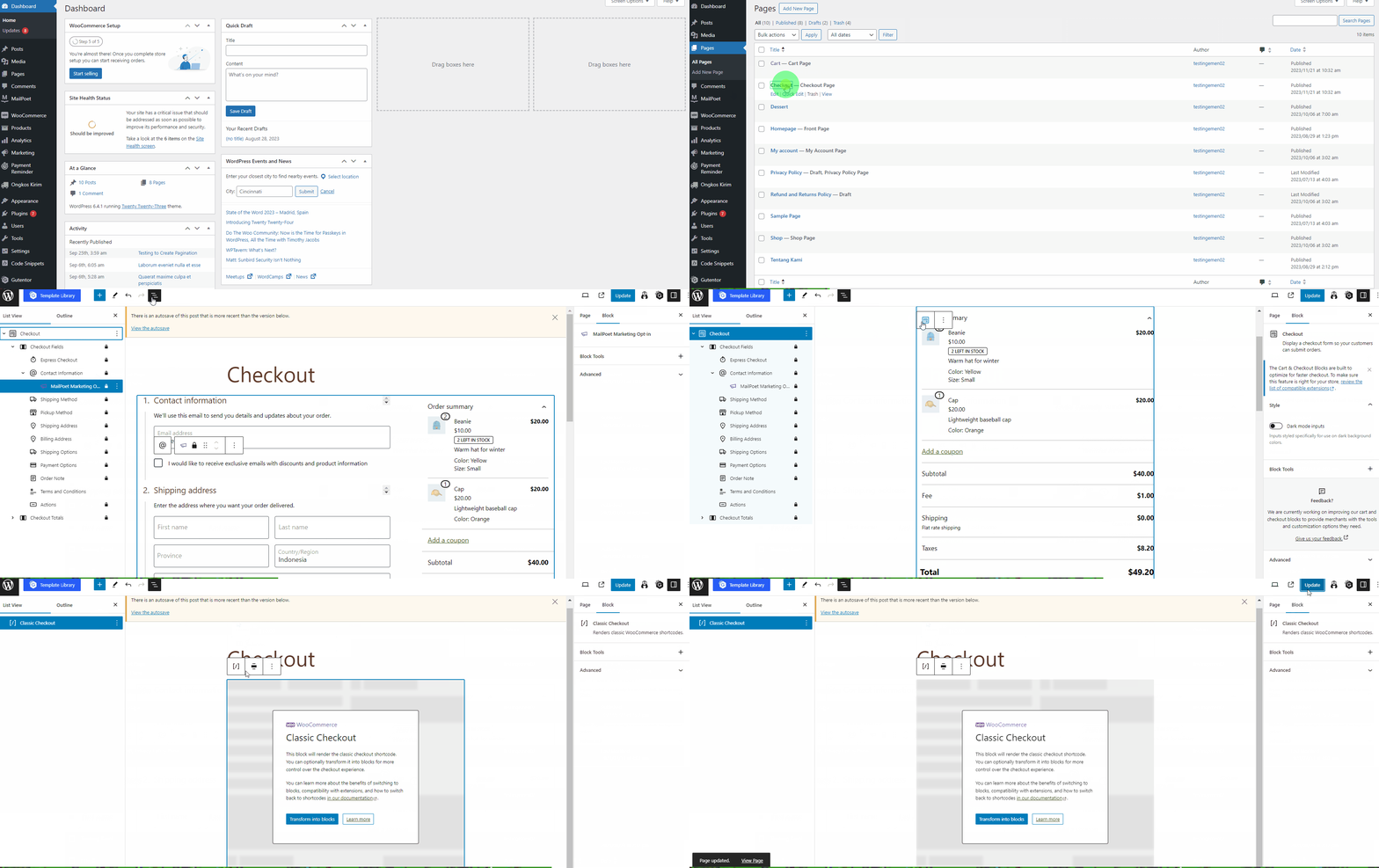
To switch from the modern Block Checkout to the Classic Checkout (shortcode-based), follow these steps:
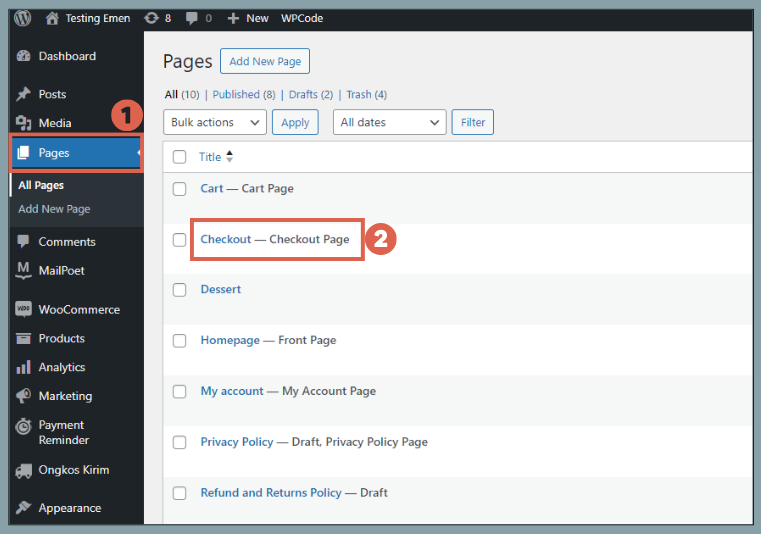
- Open the Checkout Page: In your WordPress Admin, go to Pages and click Edit on your Checkout page.
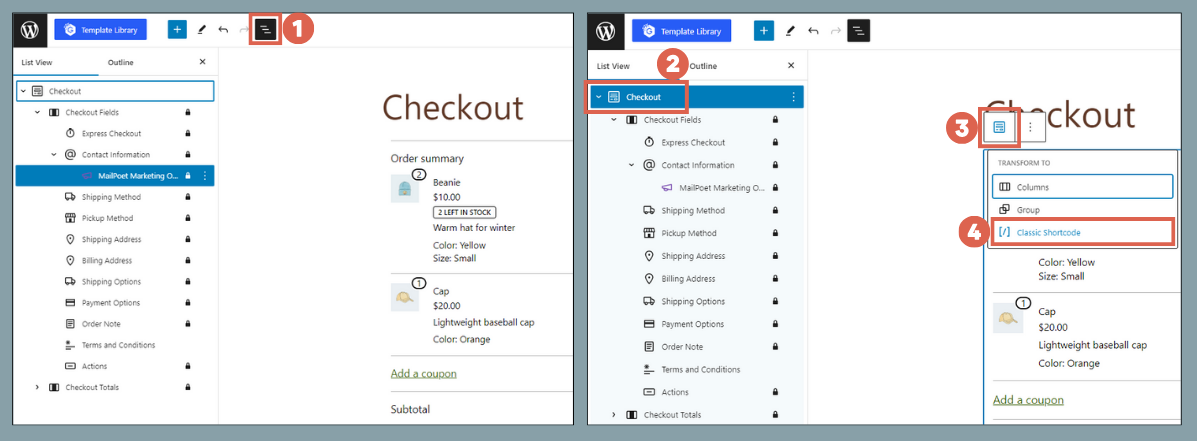
- Open List View: Click the List View icon (three horizontal lines) in the top-left toolbar to see the blocks used on the page.
- Transform the Block:
- Click on the Checkout block in the list.
- Click the Transform icon (the two squares/arrows) in the block toolbar.
- Select Classic Shortcode.
- Update: The page will now display the
[woocommerce_checkout]shortcode. Click Update to save your changes.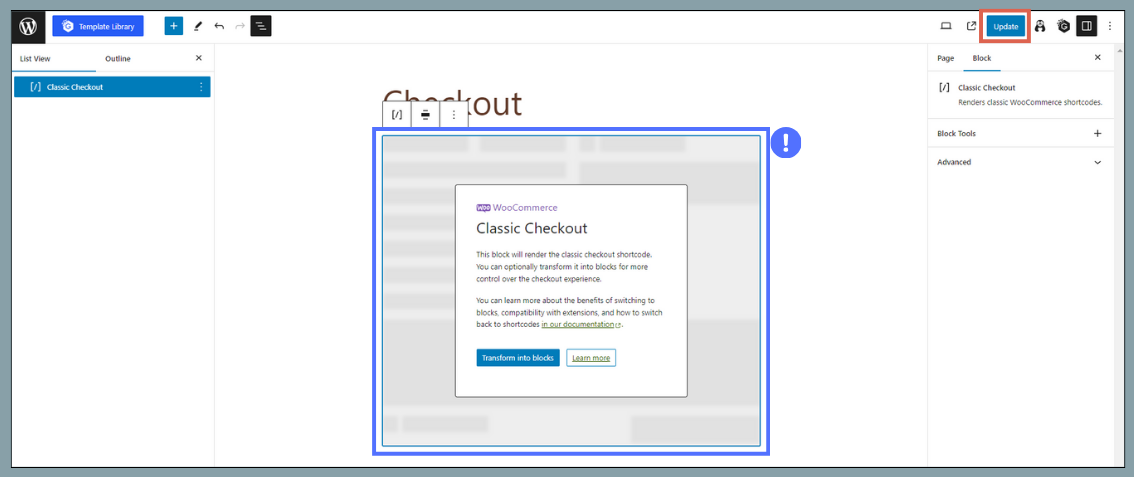
Your checkout page is now using the Classic editor, and our plugins should appear and function correctly.